Why You Feel Busy But Get Nothing Done: 12 Common Productivity Pitfalls and How to Fix Them
The most common productivity pitfalls occur when professionals confuse high-activity tasks (like refreshing emails) with high-impact output. The top three culprits are:
- The Myth of Multitasking: Attempting to do multiple things at once, which decreases quality and triggers a 25-minute "refocus cost" after every interruption.
- Productivity Tool Debt: Spending more time maintaining complex organizational systems (like Notion or Obsidian) than executing the actual work.
- The Planning Fallacy: Biologically underestimating how long tasks take, leading to overbooked schedules and inevitable burnout.
To fix these, experts recommend adopting the 80% Capacity Rule, utilizing the Eisenhower Matrix for prioritization, and leaving a 25% buffer in your daily schedule for unexpected delays.
We have all experienced days where we collapse onto the couch at 6:00 PM, utterly exhausted, only to realize we did not cross a single meaningful item off our to-do list. You answered dozens of emails, attended three meetings, and constantly switched between browser tabs—yet the needle on your core projects did not move.
This is the modern knowledge worker's paradox: being incredibly busy while remaining entirely unproductive. Falling into common productivity pitfalls does not just waste time; it drains your cognitive energy and creates a backlog of stress that carries over into the next day. By identifying these traps and implementing structural fixes, you can transition from merely managing your anxiety to generating actual, measurable output.
The Hidden Cost of Productivity Debt
Before we can fix our workflows, we must understand the difference between high-activity work and high-impact work. High-activity work feels productive because it requires constant motion. Replying to Slack messages, organizing your computer's download folder, and color-coding your calendar all provide a quick hit of dopamine. However, these tasks rarely advance your primary goals.
When you prioritize high-activity work over deep, focused execution, you accumulate what organizational psychologists refer to as Productivity Debt. According to frameworks developed by productivity researchers like Dr. Kate Henry, falling into these pitfalls creates a "restart penalty." When you finally sit down to do the hard work, you are not starting from a neutral state; you are starting from a state of cognitive depletion.
Many professionals use "busy work" as a form of anxiety management. If you are waiting for a stressful client email, refreshing your inbox 50 times in an hour feels like you are doing something about the problem. In reality, you are simply burning the mental fuel required to handle the client's response when it actually arrives. The goal of this guide is to help you identify these behaviors, audit your systems, and reclaim your focus.
Why Your Brain Struggles to Stay Productive
Human biology is not naturally optimized for the modern digital workplace. The way our brains process information, estimate time, and handle interruptions directly contributes to our most frequent productivity failures.
The Myth of Multitasking
Despite decades of research proving otherwise, many professionals still list "multitasking" as a skill on their resumes. In reality, the human brain cannot focus on two cognitively demanding tasks simultaneously. What we call multitasking is actually "rapid task-switching."
Every time you switch from writing a report to checking a text message and back again, your brain must load and unload the context of each task. This cognitive friction significantly decreases the quality of your work and increases error rates. You may feel like you are doing twice as much, but you are actually doing two things poorly and taking longer to complete both.
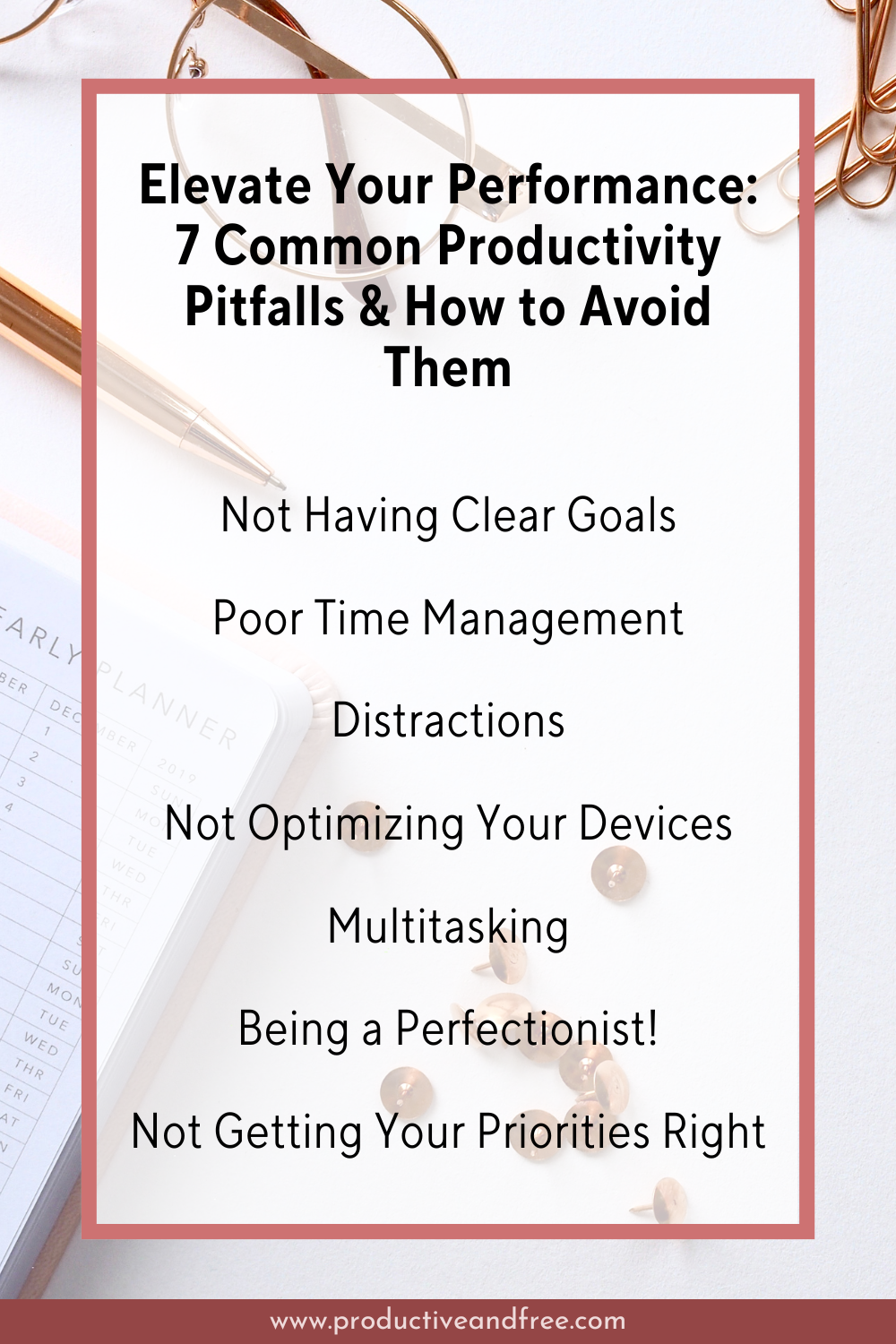
Image source: Productive and Free
The Planning Fallacy
Have you ever assumed a task would take 30 minutes, only to find yourself still working on it three hours later? This is known as the Planning Fallacy. We are biologically wired to be overly optimistic about our own capabilities and to underestimate the time required to complete future tasks.
We tend to plan our schedules based on a "best-case scenario" where no interruptions occur, all technology works perfectly, and our energy levels remain at 100%. When reality inevitably strikes, our entire day's schedule collapses. The actionable fix for this is the 25% Buffer Rule: intentionally leave a quarter of your daily schedule completely empty to absorb the shock of unexpected twists and task overruns.
Common Behavioral Pitfalls That Kill Your Momentum
Beyond our biological limitations, our daily habits and emotional responses to work often sabotage our output. Recognizing these behavioral patterns is the first step toward correcting them.
Perfectionism as a Form of Procrastination
Perfectionism is rarely about high standards; it is usually about fear. Fear of judgment, fear of failure, or fear of finality. When you obsess over the font choice in a presentation for an hour, you are avoiding the vulnerability of actually delivering the presentation.
This leads to severe analysis paralysis. The most productive individuals operate on the principle that "done is better than perfect." A completed project that is 85% perfect can be reviewed, edited, and launched. A project that is 99% perfect but never leaves your hard drive has zero value.
The "Eat the Frog" Failure
A popular productivity maxim is to "Eat the Frog"—meaning you should do your hardest, most unpleasant task first thing in the morning. Statistically, human drive and productivity are strongest in the first two hours of waking. However, this advice can become a pitfall if misapplied.
If your "frog" is so massive and poorly defined that you dread it, you may end up procrastinating all morning, ruining your peak productivity hours. If you cannot stomach the frog immediately, you must break it down into smaller, bite-sized tasks (e.g., "Draft the first paragraph" instead of "Write the entire whitepaper").
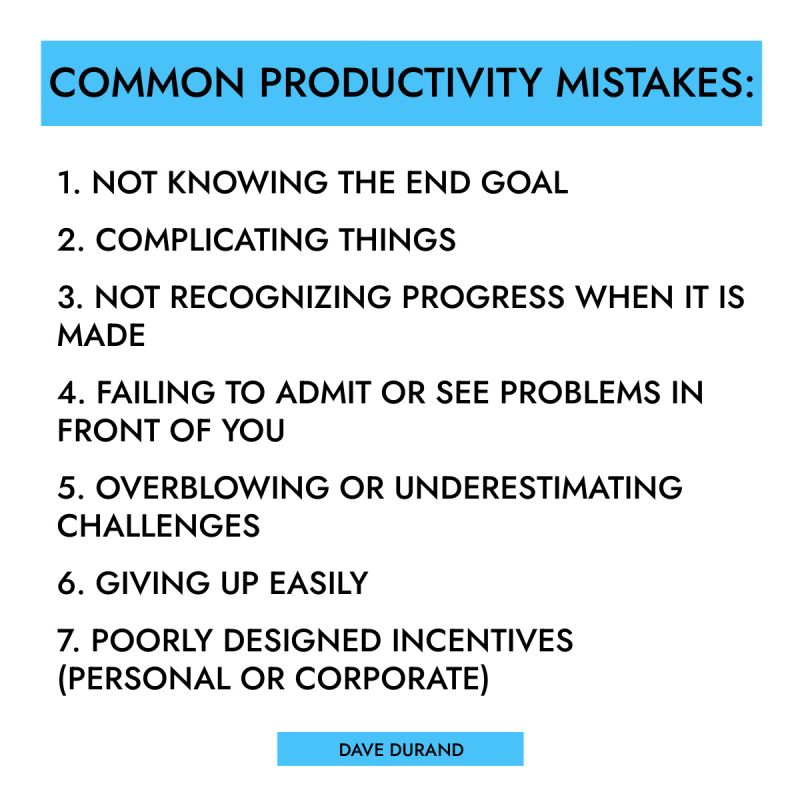
Image source: LinkedIn
Lack of Goal Clarity
When you sit down at your desk without a clear, prioritized objective for the day, your brain will automatically default to the easiest tasks available. Vague objectives like "work on marketing" inevitably turn into "scroll through competitor social media accounts for an hour." Failing to define what a successful day looks like guarantees that you will fill your time with low-impact busy work.
When Your Productivity Tools Become the Problem
In 2026, we have access to more productivity software than ever before. Yet, ironically, these very tools have become one of the primary reasons we fail to get things done.
The Trap of "Productivity Porn"
A major phenomenon discussed in productivity communities is the trap of "Productivity Porn." This occurs when a user spends hours watching tutorials, downloading templates, and building incredibly complex, interconnected databases in apps like Notion, Obsidian, or Airtable.
The user feels highly productive because they are building a "system." However, setting up a system is not the same as doing the work. If you spend four hours color-coding a project management dashboard for a project that would only take two hours to complete, your tools have become a liability.
Tool Maintenance Debt
Every productivity system requires upkeep. If your system requires you to manually tag, categorize, and link every single note or task you create, you are accumulating Tool Maintenance Debt. A system is only effective if the time it saves you is greater than the time it takes to maintain it. If you find yourself avoiding your to-do list app because it feels like a chore to update it, your system is too complex.
Micro-Technical Frictions (The MSG File Problem)
Sometimes, productivity is killed by a thousand tiny cuts. Micro-technical frictions are small, seemingly insignificant hurdles that disrupt your state of flow. For example, receiving an email attachment in an incompatible format (like an Outlook .msg file on a Mac), dealing with a slow computer boot time, or having to reset a forgotten password.
These frictions may only take three minutes to resolve, but they trigger the 25-minute refocus penalty. Device optimization—ensuring your hardware and software run seamlessly without constant troubleshooting—is a hidden pillar of true productivity.
Organizational and Systemic Pitfalls
Not all productivity failures are your fault. Often, the environment in which you work is structurally designed to prevent deep, focused execution.
The Email and Slack Time Sink
Modern professionals spend an estimated 28% of their work week managing email. If you add instant messaging platforms like Slack or Microsoft Teams to that equation, many workers spend half their day simply communicating about work rather than doing it.
Living in your inbox forces you into a reactive state. You are constantly responding to other people's priorities rather than executing your own. To combat this, high performers utilize time-blocking: checking communications only at designated times (e.g., 9:00 AM, 12:00 PM, and 4:00 PM) and closing the applications entirely outside of those windows.
Image source: Productive and Free
Meeting Fatigue
Meetings are the ultimate productivity killer when executed poorly. A one-hour meeting with six people does not cost the company one hour; it costs six hours of cumulative productivity. Meetings without clear agendas, meetings where decisions are not made, or meetings with unnecessary participants drain organizational momentum.
Research indicates that 77% of high-performing teams rely heavily on asynchronous project management software to track task dependencies, drastically reducing the need for "status update" meetings.
Systemic vs. Individual Pitfalls
It is crucial to recognize that some "unproductivity" is caused by toxic contexts rather than personal failings. If you are dealing with workplace microaggressions, systemic inequality, underpaid labor, or a manager who texts you at 10:00 PM, no amount of time-blocking or Pomodoro timers will fix your burnout.
These are systemic pitfalls that require structural solutions—such as setting firm professional boundaries, negotiating workload expectations, or, in severe cases, changing environments entirely.
The Biological Reality of Human Output
We often treat ourselves like machines, expecting consistent, linear output for eight straight hours. This fundamental misunderstanding of human biology is a massive productivity trap.
The 80% Capacity Rule (The Computer Analogy)
According to discussions on the Effective Altruism Forum regarding the "Productivity Fallacy," human energy can be compared to a computer's Central Processing Unit (CPU). If you run a computer's CPU at 99% capacity for an extended period, the system overheats, fans scream, software errors multiply, and the hardware's lifespan shortens.
A computer runs most efficiently when its CPU is hovering around 80% capacity, leaving "slack" in the system to handle sudden spikes in demand. Humans are exactly the same. If you schedule every minute of your day, running at 100% capacity, you will inevitably make mistakes ("software errors") and eventually suffer burnout ("hardware failure"). Productivity requires slack for creativity, recovery, and unexpected problem-solving.
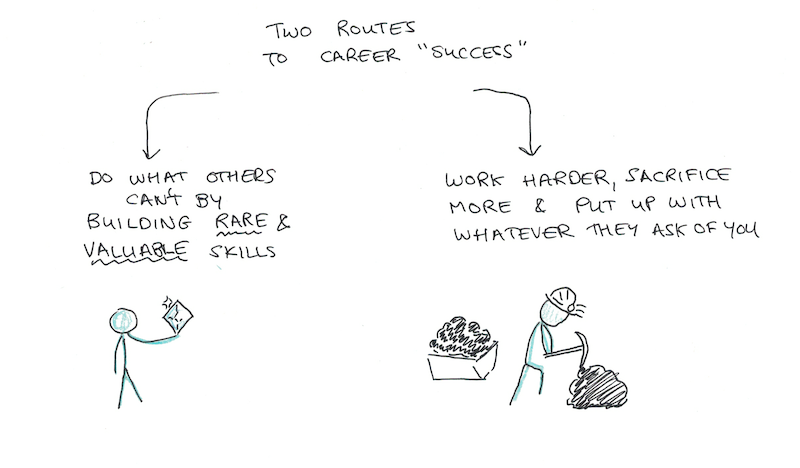
Image source: Scott H. Young
The Night Owl vs. Early Bird Conflict
The internet is flooded with advice claiming that the secret to success is waking up at 5:00 AM, taking an ice bath, and journaling before the sun comes up. While this works wonders for natural "early birds," forcing this routine onto a natural "night owl" is a severe pitfall.
As noted by freelance productivity experts, there is no one-size-fits-all system. If a night owl forces a 5:00 AM wake-up, they will likely crash by 1:00 PM, losing their natural peak productivity hours (which might be between 4:00 PM and 8:00 PM). The fix is to audit your own energy levels for a week and build your deep-work blocks around your personal biological peaks, regardless of what productivity influencers suggest.
How to Diagnose and Fix Your Productivity Bottlenecks
Now that we have identified the pitfalls, we need concrete frameworks to diagnose our specific bottlenecks and implement immediate fixes.
The 3-Action Rule for Projects
One of the most common reasons we procrastinate on a to-do list item is because it is not actually a task; it is a hidden project. Concepts popularized by David Allen's Getting Things Done (GTD) methodology emphasize the need to externalize and break down work.
To prevent overwhelm, use the 3-Action Rule: If an item on your list requires more than three distinct actions to complete, it is not a task. It is a project, and it needs its own folder or sub-list.
| Feature | Task | Project |
|---|---|---|
| Definition | A single, discrete action that can be completed in one sitting. | A series of related tasks working toward a larger goal. |
| Action Count | 1 to 3 actions maximum. | 4 or more distinct actions. |
| Management | Belongs as a single line item on a daily to-do list. | Requires a dedicated folder, document, or PM board. |
| Example | "Email John the Q3 invoice PDF." | "Launch the Q3 Marketing Campaign." |
The Eisenhower Matrix
When everything feels urgent, nothing is. The Eisenhower Matrix is a classic decision-making framework that forces you to categorize your workload objectively into four quadrants based on Urgency (time-sensitivity) and Importance (value-add).
- Quadrant 1 (Urgent & Important): Do these immediately. (e.g., A server outage, a client crisis).
- Quadrant 2 (Not Urgent & Important): Schedule these. This is where deep work and long-term growth happen. (e.g., Strategic planning, skill development).
- Quadrant 3 (Urgent & Not Important): Delegate these if possible. (e.g., Most emails, minor administrative requests).
- Quadrant 4 (Not Urgent & Not Important): Delete these. (e.g., Mindless web browsing, busy work).
Image source: Productive and Free
The Three-Step Navigation System
When you feel yourself falling into a productivity pitfall, use this three-step diagnostic tool to pull yourself out:
- Identify: Name the pitfall out loud. ("I am currently experiencing analysis paralysis over this spreadsheet formatting.")
- Proactive Plan: Rely on a pre-planned response. ("My rule is that internal spreadsheets only get 10 minutes of formatting time.")
- Acute Action: Take immediate physical action to break the loop. ("I am setting a 10-minute timer right now. When it rings, I send the file, regardless of how it looks.")
Frequently Asked Questions
What is the difference between being busy and being productive?
Being busy refers to a high volume of activity, often characterized by frantic task-switching, answering emails, and attending meetings. Being productive refers to the actual output and impact of your work. A productive person might only complete three tasks in a day, but those tasks significantly advance their core goals, whereas a busy person might complete 50 minor tasks that yield no real progress.
How do I identify productivity bottlenecks in my team?
Team bottlenecks usually manifest as task dependencies and excessive meeting frequencies. If one person's delay consistently halts the work of three other people, you have a dependency bottleneck. Additionally, if your team is spending more than 20% of their week in internal status meetings rather than executing work, your communication systems are likely bottlenecking actual production.
Why do productivity systems often fail for beginners?
Beginners often fall into the trap of over-complication, leading to "Tool Maintenance Debt." They attempt to implement complex, multi-tiered systems (like advanced Notion databases) before mastering basic habits. When the system requires more time to update and maintain than the time it actually saves, the user will inevitably abandon it.
What are the most common productivity killers in a remote work environment?
In remote environments, the top productivity killers are context switching and boundary creep. Without physical office boundaries, workers often preemptively accommodate others' schedules, allowing Slack messages and impromptu calls to interrupt their deep-work blocks. This constant digital tethering prevents the sustained focus required for high-level output.
Can having too many productivity apps decrease efficiency?
Yes. Using too many apps leads to "Productivity Porn" and notification fatigue. When your tasks, notes, and communications are scattered across five different platforms, you waste cognitive energy simply trying to remember where information is stored. Consolidating your workflow into as few tools as possible reduces micro-technical friction.
Final Thoughts
Overcoming productivity pitfalls is rarely about working harder; it is about working with greater intention and respecting your biological limits. By auditing your daily habits and stripping away the illusion of "busy work," you can reclaim hours of lost time. Keep these core principles in mind as you restructure your workflow:
- Audit your Tool Maintenance Debt: Ensure your organizational systems take less time to maintain than the time they save you.
- Apply the 25% Buffer Rule: Leave a quarter of your daily calendar completely blank to absorb the inevitable shock of the Planning Fallacy.
- Respect the 80% Capacity Rule: Stop running your brain at 100% capacity; leave cognitive slack to prevent burnout and reduce errors.
- Identify your biological peak: Schedule your most demanding, deep-work tasks during your natural high-energy hours, whether that is 8:00 AM or 8:00 PM.
- Enforce the 3-Action Rule: Break down any to-do list item that requires more than three steps into a dedicated project folder to prevent procrastination.
Start by reviewing your to-do list for tomorrow and applying the 3-Action Rule to break down any hidden projects into manageable steps.