How to Write a Professional Student Bio Using These Free Templates
A student bio is a brief, narrative summary of your academic background, professional goals, and personal interests. Unlike a bulleted resume, a bio tells a cohesive story about who you are. A standard professional student bio should be roughly 150 to 200 words and include your name, academic institution, current year of study, major or focus area, and future professional objectives.
Looking for immediate frameworks? Scroll down to find specific templates for college freshmen, graduating seniors, graduate students, and K-12 projects.
Writing about yourself is rarely easy, especially when you feel like you lack extensive professional experience. However, a well-crafted student bio ranks among the top tools you can use to establish your personal brand. Whether you are setting up a LinkedIn profile, applying for a competitive scholarship, or submitting a proposal for a university research grant, your bio serves as your digital handshake.
According to guidance from the Pullman Foundation, a professional bio is fundamentally a narrative tool. It communicates personality traits—such as efficiency, dedication, and intellectual curiosity—that a standard bulleted resume simply cannot convey. In this comprehensive guide, we will explore exactly what to include, how to choose the right perspective, and provide fill-in-the-blank templates tailored to every stage of your academic journey.
What Should You Include in a Professional Student Bio?
The anatomy of a successful student bio relies on a specific formula. While the exact length may vary depending on where the bio will be published, the core components remain consistent across almost all academic and professional platforms.
Based on standards set by university writing centers, including the Boise State Writing Center, a comprehensive long-format student bio typically follows a structured three-paragraph approach:
- Paragraph 1: The Professional and Academic Hook
- This opening section must immediately establish your current status. It should include your full name, your university or school, your year of study (e.g., sophomore, first-year graduate student), and your major or primary field of research. It should also state your immediate professional goal.
- Paragraph 2: Experience and Value Addition
- The middle section is where you prove your competence. Here, you highlight relevant coursework, significant academic projects, internships, or leadership roles in campus organizations. The goal is to show how your academic background translates into practical skills.
- Paragraph 3: Personal Interests and Humanization
- The final paragraph briefly touches on who you are outside of the classroom. Including one or two hobbies, volunteer interests, or a mention of your hometown helps humanize you to recruiters and admissions committees.
For shorter formats, such as those required by specific academic departments, these three elements are condensed into a single paragraph. For example, the University of Alabama at Birmingham (UAB) Genetic Counseling Program explicitly requires student bios to be strictly limited to 150–200 words, forcing students to merge their academic focus and personal background into a tight, highly readable format.
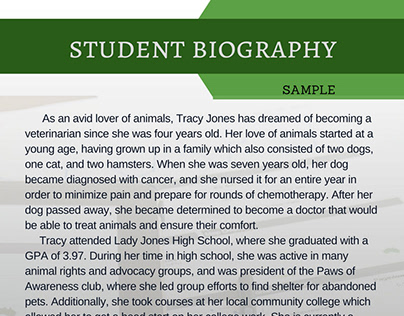
Image source: Behance
Which Perspective Should You Use for Your Bio?
One of the most common points of confusion for students is deciding whether to write in the first person ("I am a student...") or the third person ("Jane Doe is a student..."). The answer depends entirely on the platform where the bio will be published.
While traditional academic sources strictly advocate for the third person in formal contexts, modern career platforms like IntelligentCV note that first-person narratives are highly effective for social media. To resolve this conflict, use the Perspective Selection Matrix below to determine the appropriate tone for your specific needs.
| Platform / Use Case | Recommended Perspective | Example Phrasing | Rationale |
|---|---|---|---|
| LinkedIn "About" Section | First Person (I, Me, My) | "I am a junior majoring in..." | Social networking platforms prioritize authentic, conversational engagement. Writing in the third person here can feel overly stiff or disconnected. |
| University Directory / Department Website | Third Person (He, She, They) | "David is a graduate student..." | Institutional websites require a standardized, formal tone that matches the profiles of faculty and staff. |
| Scholarship Applications | First Person (I, Me, My) | "My academic journey began..." | Committees want to hear your personal voice and understand your individual motivations and financial needs. |
| Conference Programs / Research Publications | Third Person (He, She, They) | "Sarah's research focuses on..." | Academic publishing adheres to strict formal standards where the focus should remain on the work and credentials rather than the individual's internal narrative. |
Fill-in-the-Blank Student Bio Templates for Every Level
Starting from a blank page is intimidating. The following templates are designed to provide a structural foundation. You can copy these directly into your word processor and replace the bracketed information with your own details. Remember to adjust the tone to match your personal voice.
Short One-Paragraph Template for General Use
This template is widely regarded as a top choice for general submissions, networking event booklets, and introductory emails. It targets the standard 150-word limit.
"[First Name] [Last Name] is a [Year in School] at [University Name] pursuing a degree in [Major/Degree Program]. With a strong passion for [Industry/Field], [First Name] focuses their studies on [Specific Academic Interest 1] and [Specific Academic Interest 2]. During their time on campus, they have actively participated in [Club/Organization Name], where they developed skills in [Skill 1] and [Skill 2]. Professionally, [First Name] is seeking opportunities to apply their academic background to a role in [Target Job Area]. Outside of their academic pursuits, [First Name] enjoys [Hobby 1] and volunteering with [Local Organization/Cause]."
The Two-Line Elevator Pitch for Networking Apps
Many modern networking apps, digital portfolios, and forum profiles only allow for a brief tagline. This "elevator pitch" format takes approximately 15 seconds to read and delivers immediate value.
"I am a [Year] [Major] student at [University] specializing in [Specific Skill/Niche]. I am currently seeking a [Season/Year] internship to apply my background in [Academic Field] to solve problems in [Target Industry]."
College Freshman Template with a No-Experience Pivot
First-year students often struggle with bios because they feel they lack "real" experience. The key here is to pivot. Instead of focusing on past jobs, focus on academic influences, high school leadership, or classroom projects that demonstrate your potential.
"Currently in their first year at [University Name], [First Name] [Last Name] is an intended [Major] major with a deep interest in [Field of Study]. While their formal professional journey is just beginning, [First Name] has already demonstrated a commitment to [Core Value, e.g., environmental sustainability] through their foundational coursework in [Class Name] and their previous leadership as [High School Role/Project Lead]. Influenced by [Brief Mention of Inspiration, e.g., growing up in a family of educators / a lifelong fascination with technology], they are eager to secure an introductory role or shadowing opportunity in [Target Industry] to build practical skills alongside their academic curriculum."
Junior and Senior Template Focused on Internships
By your third or fourth year, your bio should transition away from general interests and focus heavily on specific job roles, technical skills acquired, and internship experiences.
"[First Name] [Last Name] is a dedicated senior at [University Name] majoring in [Major] with a minor in [Minor]. Over the past three years, [First Name] has cultivated a robust skill set in [Hard Skill 1, e.g., data analysis] and [Hard Skill 2, e.g., project management]. Recently, they completed an internship at [Company Name], where they successfully [Action Verb + Result, e.g., streamlined client onboarding processes, resulting in a 15% increase in efficiency]. As they approach graduation in [Month, Year], [First Name] is actively seeking full-time opportunities as a [Target Job Title] where they can leverage their academic foundation and internship experience to drive impactful results."
Graduate Student Template with Research and Hometown Focus
Graduate programs often use student bios to build a sense of community among cohorts. Including your hometown and specific research niche is highly recommended for master's and doctoral candidates.
"Originally from [Hometown, State/Country], [First Name] [Last Name] is a [Year] graduate student in the [Specific Program Name] at [University Name]. [First Name] earned their undergraduate degree in [Undergrad Major] from [Undergrad University], where they developed a foundational interest in [Broad Field]. Currently, their graduate research focuses specifically on [Niche Research Topic], under the advisement of [Professor Name, optional]. They chose to pursue their advanced degree at [University Name] because of its strong commitment to [University Value/Resource]. Upon completing their degree, [First Name] aims to transition into a career in [Academia/Industry/Specific Role]."
K-12 Student Template for School Projects
For younger students, bios are often used as "Get to Know Me" exercises that align with English Language Arts and Reading (ELAR) curriculum standards. Educational resources like TeachStarter emphasize simple, structured prompts.
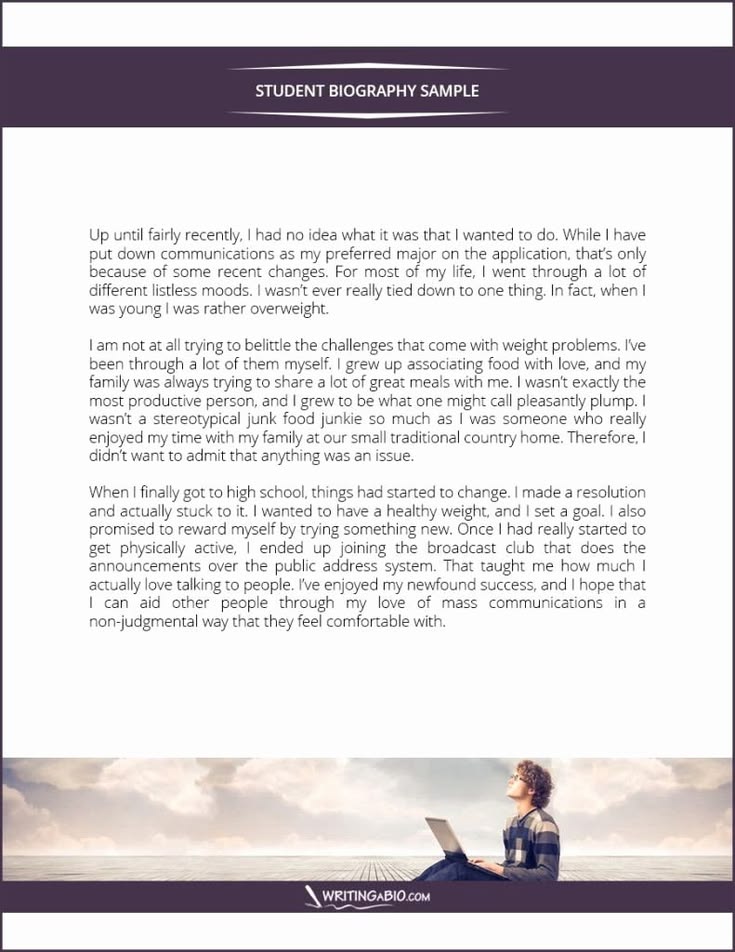
Image source: Pinterest
"Hi, my name is [First Name] and I am in the [Number] grade at [School Name]. My favorite subject in school is [Subject] because I love learning about [Specific Topic]. When I am not in class, I really enjoy [Hobby 1] and playing [Sport/Game]. One of my proudest achievements this year was [School Project or Personal Goal]. When I grow up, I want to be a [Dream Job] so I can help people by [Action]."
How to Turn a Bulleted Resume into a Bio Using AI
If you already have a well-written resume, you do not need to start your bio from scratch. Large Language Models (LLMs) like ChatGPT or Claude offer a highly efficient workflow for converting bullet points into a flowing narrative. However, the quality of the output depends entirely on the specificity of your prompt.
Follow this three-step workflow to generate a professional narrative:
- Step 1: Open your resume and copy the text from your Education section, your Skills section, and your 2-3 most relevant experience bullets (including academic projects).
- Step 2: Paste the copied text into your preferred AI tool along with the specific "Boise State Prompt" provided below.
- Step 3: Review the generated text and manually adjust the tone. AI tends to use overly enthusiastic adjectives. Edit the text to ensure your achievements are framed subtly rather than explicitly.
            Act as an expert university career counselor. I am going to provide you with bullet points from my student resume. I need you to convert these bullets into a 3-paragraph professional student bio written in the [first/third] person.


            Follow this structure exactly:

            - Paragraph 1: State my name, university, major, year, and primary career goal.

            - Paragraph 2: Summarize my experience and skills based ONLY on the resume bullets provided. Focus on the impact of my work.

            - Paragraph 3: Add a brief concluding sentence about my professional interests.


            Keep the tone conservative, academic, and professional. Do not use overly dramatic adjectives like "thrilled," "passionate," or "expert." Total word count should be between 150 and 200 words.


            Here are my resume details: [PASTE RESUME TEXT HERE]
Refining the Tone: Subtle vs. Explicit Achievements
When editing your AI-generated bio, pay close attention to how your value is communicated. The Pullman Foundation advises against explicitly stating "I am a hard worker." Instead, show that trait subtly through your results. Use the table below to guide your edits.
| The "Explicit" Approach (Avoid) | The "Subtle" Approach (Recommended) | Why It Works Better |
|---|---|---|
| "I am a highly organized and excellent leader." | "Directed a team of five students to organize the annual campus sustainability fair." | Provides concrete evidence of leadership and organization without relying on self-assigned adjectives. |
| "I am the ideal candidate for a marketing role." | "Seeking to apply a background in consumer data analysis to a product marketing internship." | Connects a specific existing skill to a specific future goal, demonstrating competence naturally. |
| "I have unmatched skills in Python programming." | "Utilized Python to automate data entry processes for the university biology lab." | States the tool used and the result achieved, allowing the reader to assess the skill level objectively. |
Why You Should Avoid Macro-Heavy Microsoft Templates
When searching for templates online, many students download official Microsoft Office templates or community-built files. However, community research from technical forums reveals a significant troubleshooting issue: many of these files are "macro-heavy."
Specifically, older Microsoft Access-linked templates or Excel-based student forms often contain embedded macros (VBA code) designed to auto-fill data across multiple subforms. While this sounds convenient, these files frequently fail to sync properly on modern operating systems. Furthermore, when you attempt to upload a `.docm` (macro-enabled document) to a university portal or an Applicant Tracking System (ATS) for a job application, the system will often reject the file due to security protocols regarding executable code.
The Solution: Use Clean Alternatives
To avoid formatting crashes and data loss, always use "clean," macro-free structures. The safest approach is to copy the plain text templates provided in this article directly into a standard `.docx` file or a Google Doc. If you want to add visual flair, use web-based design tools like Edit.org or Canva, which allow you to export your final bio as a flat, universally accepted PDF file.
How Often Should You Update Your Student Bio?
A student's academic and professional profile evolves rapidly. A bio written during the fall semester may be entirely outdated by the spring. Career advisors generally recommend adhering to the "Six-Month Rule."
You should review and update your professional bio at the end of every academic semester (roughly every six months). This ensures that potential employers or academic committees are viewing your most current qualifications.
When conducting your six-month review, use this checklist to ensure all data points are current:
- Academic Standing: Did you transition from a sophomore to a junior? Update your class standing.
- GPA and Honors: If your GPA improved significantly, or if you made the Dean's List, consider weaving this into your academic summary.
- Recent Projects: Replace older high school or freshman-year projects with your most recent, high-level coursework.
- Technical Skills: Did you learn a new software program or coding language this semester? Add it to your value proposition.
- Graduation Date: Ensure your expected graduation month and year are accurate, as recruiters use this to determine your eligibility for specific internship cycles.
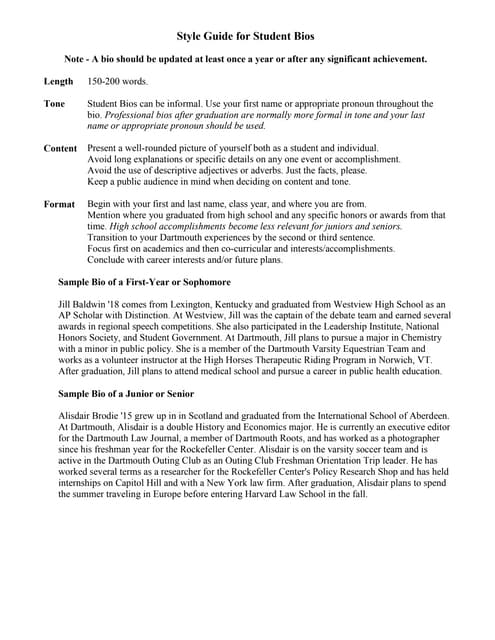
Image source: Slideshare
Frequently Asked Questions
How long should a professional student bio be?
A standard professional student bio should be between 150 and 200 words. This length is sufficient to cover your academic background, current projects, and future goals without losing the reader's attention. For specific networking apps, a shorter "elevator pitch" of 2-3 sentences may be more appropriate.
Can I include personal hobbies in a professional bio?
Yes, including one or two personal hobbies is highly recommended. Mentioning interests outside of academia (such as hiking, playing an instrument, or volunteering) helps humanize you and provides recruiters with natural conversation starters during interviews.
What should I write if I haven't declared a major yet?
If you are undecided, focus your bio on your academic interests and influences. State that you are "currently exploring coursework in [Subject A] and [Subject B]" and highlight any foundational skills you are building, such as research, writing, or data analysis.
Is a student bio the same thing as a resume summary?
No. A resume summary is a brief, bulleted, or highly condensed overview of your hard skills placed at the top of a resume. A student bio is a narrative paragraph that tells a cohesive story, often including personal interests and academic motivations that would not fit on a traditional resume.
Should I include my GPA in my student bio?
Generally, you should only include your GPA in your bio if it is exceptionally high (e.g., 3.8 or above) or if you are applying for a highly competitive academic scholarship that prioritizes grades. In most professional and networking contexts, focusing on your skills and project outcomes is more effective than listing a GPA.
Final Thoughts: Crafting Your Narrative
Your student bio is more than just a summary of your classes; it is a strategic tool designed to bridge the gap between your current academic status and your future professional goals. By moving away from bullet points and embracing a narrative structure, you allow recruiters and academic committees to see the person behind the grades.
Before you publish your bio, review these key takeaways:
- Choose the right perspective: Use first-person for LinkedIn and social platforms, and third-person for formal directories and academic submissions.
- Stick to the formula: Always include your name, institution, major, and professional objective in the opening lines.
- Pivot your experience: If you lack formal internships, highlight significant classroom projects, leadership roles, or relevant coursework.
- Show, don't tell: Avoid explicitly calling yourself a "hard worker." Instead, demonstrate your work ethic by describing the results of your projects.
- Update every six months: Set a calendar reminder at the end of each semester to add new skills, adjust your class standing, and refine your career goals.
- Avoid macro-heavy files: Stick to clean, plain-text formats (.docx or PDF) to ensure your bio passes through Applicant Tracking Systems without technical errors.