How to Use Content Creator Templates to Save 10 Days Every Month
Implementing a structured template workflow across planning, design, and video editing can reduce design turnaround time by 66% and increase overall content volume by up to 60%. By utilizing composable project management systems and AI-enhanced design assets, creators can effectively reclaim up to 10 days of production time each month.
Jump to section:
Creative burnout and the dreaded "blank page syndrome" are two of the most significant hurdles facing modern digital publishers. When every post, video, and newsletter requires starting from scratch, maintaining a consistent publishing schedule becomes an exhausting battle against time. This is where a strategic approach to digital assets becomes essential.
According to recent data from Canva Business Solutions, organizations that transition to templated workflows experience a remarkable 66% reduction in design turnaround time. Furthermore, these systems allow teams to increase their content volume by 60% within a single month without sacrificing visual quality. Templates are no longer just simple shortcuts; they serve as critical brand guardrails that ensure consistency across platforms while drastically reducing cognitive load.
However, simply downloading a random assortment of files is not enough. To achieve these efficiency gains, creators must implement what industry professionals refer to as the "Content Blitz" method—a highly integrated workflow that bridges planning software, graphic design tools, and video editing suites into a single, high-speed pipeline.
Why Most Creator Templates Fail and How to Choose One That Works
Despite the clear benefits of standardized assets, a significant number of creators abandon their new systems within weeks of implementation. This phenomenon is particularly evident in productivity communities, where users frequently share their frustrations with overly complex setups.
A deep dive into the Reddit Notion Community reveals a common warning: "over-engineered" templates often take more time to maintain than they actually save. When a planning dashboard requires users to fill out fifteen different metadata properties just to log a simple tweet, the friction outweighs the utility. This leads to the "Complexity Trap," where the system itself becomes a secondary job.
Minimalist vs. Composable Systems
To avoid this trap, creators must understand the difference between a rigid, static template and a "composable" system. A static template forces you to adapt your workflow to its structure. If it includes a complex financial tracking module that you don't need, it sits there as visual clutter.
Conversely, composable project management frameworks are built with modularity in mind. You start with a minimalist core—perhaps just a simple Kanban board for tracking ideas from conception to publication. As your needs grow, you can snap new modules into place, such as a sponsor tracking database or an asset library, without disrupting the foundational workflow.
Before downloading any visual or organizational asset, you must identify your brand pillars. Strategic content creation relies on establishing 3 to 5 core categories (e.g., Product Showcases, Educational Tutorials, Behind-the-Scenes, Industry News, and Community Spotlights). Selecting templates that specifically serve these categories ensures your output remains focused and prevents your feed from looking like a disjointed collection of random designs.
Top-Rated Notion Templates for Planning and Project Management
When it comes to orchestrating a multi-platform strategy, Notion ranks among the top choices for digital organization. The platform's database-driven architecture allows creators to build highly customized hubs that go far beyond simple to-do lists.
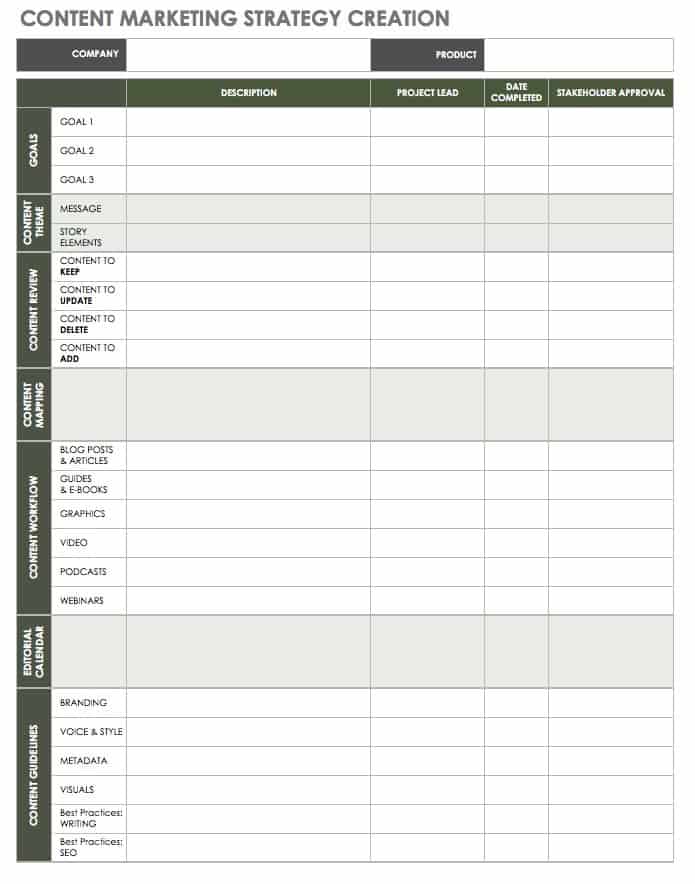
Image source: Smartsheet
The All-in-One Dashboard Setup
A high-performing creator hub typically revolves around a central database viewed through multiple lenses. The most effective setups utilize a Calendar View for macro-level scheduling and a Kanban Board (with columns like "Idea," "Scripting," "Filming," "Editing," and "Published") for micro-level task management. By linking tasks directly to specific database properties—such as target platform, required assets, and assigned team members—creators can maintain total visibility over their production pipeline.
Modular Parts for Scaling Teams
As solo creators transition into scaling teams, their organizational needs evolve. The Notion Creator Gallery highlights how composable frameworks support this growth. Advanced templates incorporate Gantt charts for long-term project visualization and RACI matrices (Responsible, Accountable, Consulted, Informed) to clarify roles when working with freelance video editors or virtual assistants. This modular approach ensures that the system scales seamlessly alongside the business.
The "Second Brain" for Research
Beyond scheduling, top-tier Notion setups function as a "Second Brain" for research and ideation. By integrating web-clipping extensions, creators can instantly archive articles, competitor videos, and visual inspiration directly into an "Inspiration Database." When it's time to brainstorm, this repository provides a wealth of pre-vetted ideas, entirely eliminating the friction of starting from a blank page.
High-Performance Video Templates for Premiere Pro and CapCut
Video production is traditionally the most time-intensive aspect of digital publishing. However, the integration of professional motion graphics templates has fundamentally shifted how creators approach editing, allowing for broadcast-quality visuals without the need for advanced animation skills.
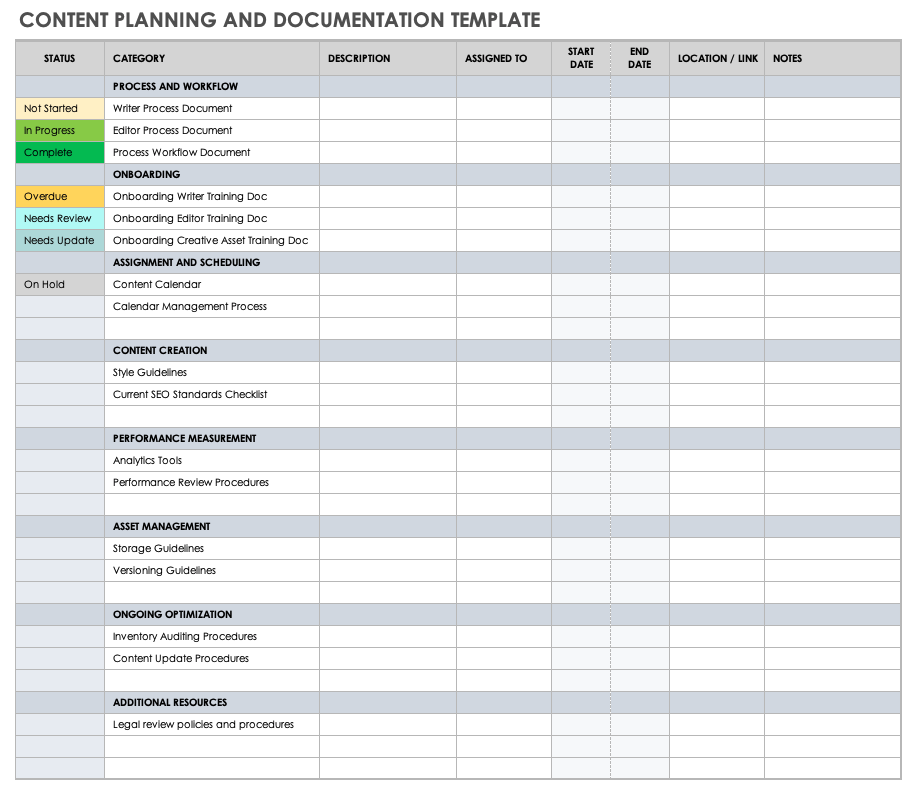
Image source: Smartsheet
The Power of Essential Graphics (.mogrt files)
For users of Adobe Premiere Pro, Motion Graphics Templates (.mogrt files) are highly impactful assets. These files are pre-animated sequences—such as lower thirds, title cards, or complex transitions—built in After Effects but packaged for easy use in Premiere.
According to ContentCreator Training resources, modern .mogrt files allow for deep customization through the Essential Graphics panel. Editors can easily swap out fonts, adjust border widths, change color palettes to match brand guidelines, and even toggle specific animation layers on or off, all without ever opening After Effects or writing a single line of expression code.
Short-Form Mastery and Mobile Workflows
For creators focused primarily on TikTok, Instagram Reels, and YouTube Shorts, pacing is everything. Templates designed specifically for short-form content often include built-in "hook" animations, trending transition styles, and dynamic caption presets. While Premiere Pro serves the high-end market, platforms like CapCut offer robust, mobile-first template ecosystems that allow creators to apply complex edits to raw footage with a single tap, making it an excellent choice for on-the-go production.
AI-Template Hybridization
The landscape is rapidly evolving toward AI-integrated assets. Platforms like Content Creator Templates are pioneering workflows where users leverage AI credits to generate custom B-roll, voiceovers, or even dynamic background elements that automatically populate within the pre-structured template shell. This hybridization significantly accelerates the production process, allowing creators to focus on narrative and strategy rather than technical execution.
Social Media Design Templates for Visual Consistency
Maintaining a cohesive visual identity across multiple platforms is a major challenge. A graphic that looks perfect on an Instagram grid may appear awkwardly cropped on a Pinterest board or a LinkedIn feed. Strategic design templates solve this cross-platform puzzle.
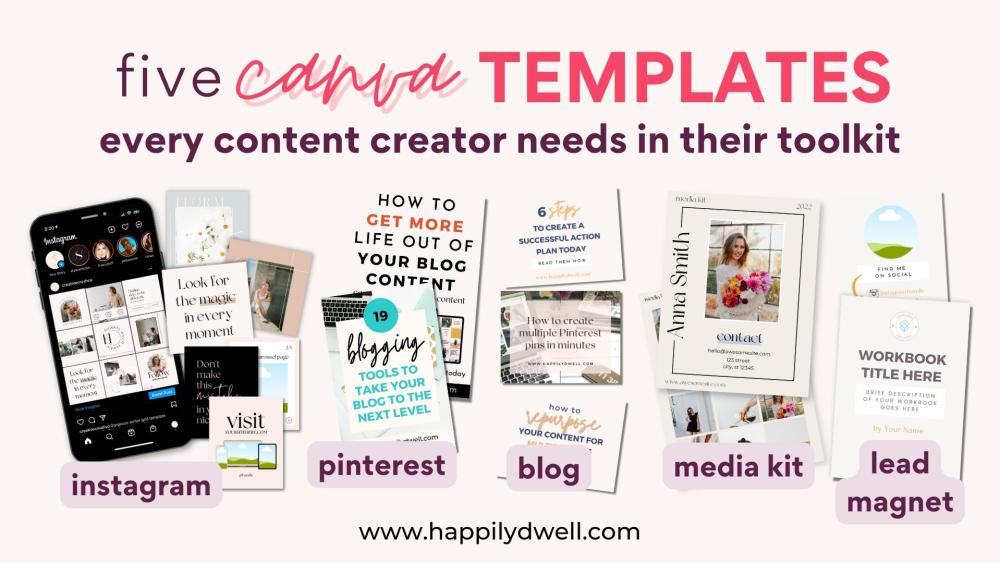
Image source: Happily Dwell
The Canva "Magic Switch" Workflow
Canva has established itself as a highly competitive tool for visual asset management. One of the most efficient workflows involves utilizing their "Magic Switch" (formerly Magic Resize) feature. A creator can design a primary asset—such as a square 1080x1080 infographic for Instagram—and instantly generate optimized variations for Pinterest (1000x1500), YouTube Community posts, and Facebook covers. When combined with Canva's Brand Kit feature, which locks in approved fonts and color palettes, this workflow ensures that every resized asset remains strictly on-brand.
High-End Photoshop (PSD) Assets
While browser-based tools are excellent for daily social media posts, certain projects require the robust capabilities of Adobe Photoshop. For professional-grade marketing collateral—such as media kits, event flyers, detailed brochures, or high-resolution YouTube thumbnails—layered PSD files remain a top-tier option. Resources like Magnific PSD and Pikbest offer extensive libraries of complex, high-resolution templates that provide granular control over blending modes, smart objects, and advanced typography that browser tools cannot match.
Niche-Specific Aesthetics
Visual trends move quickly, and relying on generic "corporate" templates can make a brand feel outdated. Data from Pinterest Inspiration boards indicates a strong user preference for highly specific, niche aesthetics. Instead of basic business layouts, creators are seeking out "Cozy Animated" styles for lifestyle vlogs, "Modern Pink" aesthetics for beauty brands, or "Brutalism" for tech commentary. Selecting templates that align with these specific visual subcultures helps content resonate more deeply with target demographics.
How to Build a Content Blitz Workflow Using Multiple Tools
The true value of these assets is unlocked when they are connected. The "Content Blitz" method is a strategic approach to batch production, moving away from the stress of daily, ad-hoc creation toward focused, high-volume weekly sessions.
The blitz begins in your organizational hub. During a dedicated planning hour, you review your "Second Brain" inspiration database and select topics for the week. Using integrated AI writing assistants within Notion, you generate the foundational copy, hooks, and captions for each post. By the end of this step, the conceptual work is entirely finished.
Moving to your design software, you open your pre-approved brand templates. You paste the copy generated in Step 1 into the text fields. Because the fonts, colors, and layouts are already established, this process is purely administrative. You then execute the Magic Switch workflow, instantly resizing the core designs for all required platforms, producing a week's worth of static visuals in under an hour.
For the video components, you import your raw footage into Premiere Pro. You drag and drop your customized .mogrt files onto the timeline to add professional lower thirds, title cards, and call-to-action animations. Because these assets are pre-built, the editing process shifts from complex animation to simple assembly. You export the final files, upload them to your scheduling tool, and update the status in your Notion dashboard to "Scheduled."
By compartmentalizing the creative process—separating ideation, design, and video editing into distinct, templated phases—creators can achieve a state of flow that makes high-volume production sustainable over the long term.
Should You Buy Template Bundles or Use Subscriptions?
As the creator economy matures, the marketplace for digital assets has diversified. Creators must decide between committing to ongoing subscription models or purchasing standalone bundles. Each approach offers distinct advantages depending on your production volume and technical requirements.
The Case for Subscriptions
Subscription models, such as those offered by Canva Pro or Envato Elements, operate on an "all-you-can-eat" basis. These are widely regarded as highly effective for high-volume creators who produce content across multiple niches or frequently experiment with new visual styles. The primary benefit is access to a constantly updating library of assets, ensuring your content never looks stale. Additionally, these platforms often bundle in valuable secondary tools, such as stock photo libraries, cloud storage, and AI generation credits.
The Case for One-Time Purchases
Conversely, there is a growing market shift toward "pay-per-use" or one-time purchase models. Marketplaces like Adobe Exchange offer premium, highly specialized assets without recurring fees. This model is an excellent choice for established brands that have locked in their visual identity. If you only need one specific broadcast-quality intro sequence for your YouTube channel, purchasing a single, high-end template bundle is far more cost-efficient than maintaining a monthly subscription to a massive library you rarely browse.
| Pricing Model | Best Suited For | Cost Efficiency | Example Platforms |
|---|---|---|---|
| Monthly Subscription | High-volume creators, agencies, multi-niche publishers. | High value if downloading multiple assets weekly. | Canva Pro, Envato Elements, Motion Array |
| One-Time Bundle | Established brands with locked visual identities, niche video editors. | Highly efficient for long-term use of specific assets. | Adobe Exchange, Creative Market, Gumroad |
| AI-Credit Model | Creators needing custom B-roll, voiceovers, or dynamic generation. | Variable; pay strictly for what you generate. | Content Creator Templates, Midjourney, ElevenLabs |
Frequently Asked Questions
Implementing a strategic template workflow is one of the most effective ways to scale your digital presence while protecting your creative energy. By moving away from ad-hoc creation and embracing structured systems, you can significantly increase your output and consistency.
- Adopt the Blitz Method: Batch your production across multiple tools (Notion for planning, Canva for design, Premiere for video) to save up to 10 days of work per month.
- Avoid Over-Engineering: Choose composable, minimalist organizational frameworks that scale with your needs rather than rigid systems that cause friction.
- Establish Core Categories: Identify 3 to 5 brand pillars before selecting visual assets to ensure your content remains focused and cohesive.
- Leverage .mogrt Files: Utilize Essential Graphics panels in video editors to achieve broadcast-quality animations without technical expertise.
- Utilize Magic Resizing: Maximize the value of single designs by using automated resizing tools to adapt core assets for every social platform instantly.
- Audit Before Buying: Always verify that a template bundle aligns with your specific niche aesthetic and technical skill level before purchasing.