
For most teams in 2026, the choice of project management budget tracking tools depends on industry and scale. Scoro and Productive.io rank among the top choices for professional service agencies focusing on profitability. Procore stands out as a premier option for construction, while a Trello + Toggl stack offers a cost-effective solution for small teams. The transition from Excel to dedicated software typically occurs when manual data entry leads to "lagging indicators" that fail to prevent overruns.
Maintaining financial control over a project is one of the most difficult challenges in modern business. Despite the availability of sophisticated technology, the gap between planned budgets and actual expenditures remains wide. According to a landmark PwC study of 10,000 projects, only 2.5% of companies successfully complete their projects 100% of the time. The remaining 97.5% miss deadlines, exceed budgets, or fail to meet original specifications.
This "Success Gap" is often caused by a reliance on lagging indicators. Many project managers only review financial health at the end of a month or a milestone. By the time the data is processed, the budget overrun has already occurred. Real-time visibility is the only effective defense against this trend. Without a system that updates costs as they happen—linking time logs, vendor invoices, and resource allocations—managers are essentially flying blind.
Furthermore, teams eventually hit what experts call the "Complexity Wall." This is the point where the volume of data exceeds the capacity of manual management. When a project involves multiple stakeholders, complex billing cycles (such as a mix of flat fees and hourly rates), and cross-departmental resources, the risk of human error in data entry increases exponentially. At this stage, specialized project management budget tracking tools become a necessity rather than a luxury.
Excel and Google Sheets are the default starting points for almost every business. They are flexible, familiar, and virtually free. However, the "Spreadsheet Trap" is real. Manual spreadsheets lack the automated checks and balances required for high-stakes financial management. A single broken formula or a misplaced decimal point can lead to catastrophic financial reporting errors.
The decision to move to dedicated software should be based on specific triggers. If your team is spending more than four hours a week simply updating budget spreadsheets, or if you are consistently surprised by costs at the end of a project, you have likely outgrown manual tools. Dedicated software provides a "Single Source of Truth," ensuring that finance, project managers, and department heads are all looking at the same real-time data.
| Criteria | Excel / Google Sheets | Dedicated Budgeting Software |
|---|---|---|
| Active Projects | Best for <3 simple projects | Scalable for 10+ complex projects |
| Team Size | Solo or very small teams | Multi-user with permission levels |
| Billing Type | Simple flat fees | Hourly, retainers, and milestones |
| Data Accuracy | High risk of manual error | Automated sync and validation |
| Forecasting | Manual and reactive | AI-driven and predictive |
For professional service firms, the goal isn't just to track spending; it is to maximize profitability. All-in-one tools integrate task management with financial reporting to provide a holistic view of the business.
Scoro is widely regarded as one of the most comprehensive platforms for agencies and consultancies. Unlike standard task managers, Scoro is built around the concept of the "profitability lifecycle." It allows users to track everything from the initial quote to the final invoice within a single interface. According to Scoro's internal benchmarks, users have reported significant revenue growth by optimizing resource utilization and reducing administrative overhead.
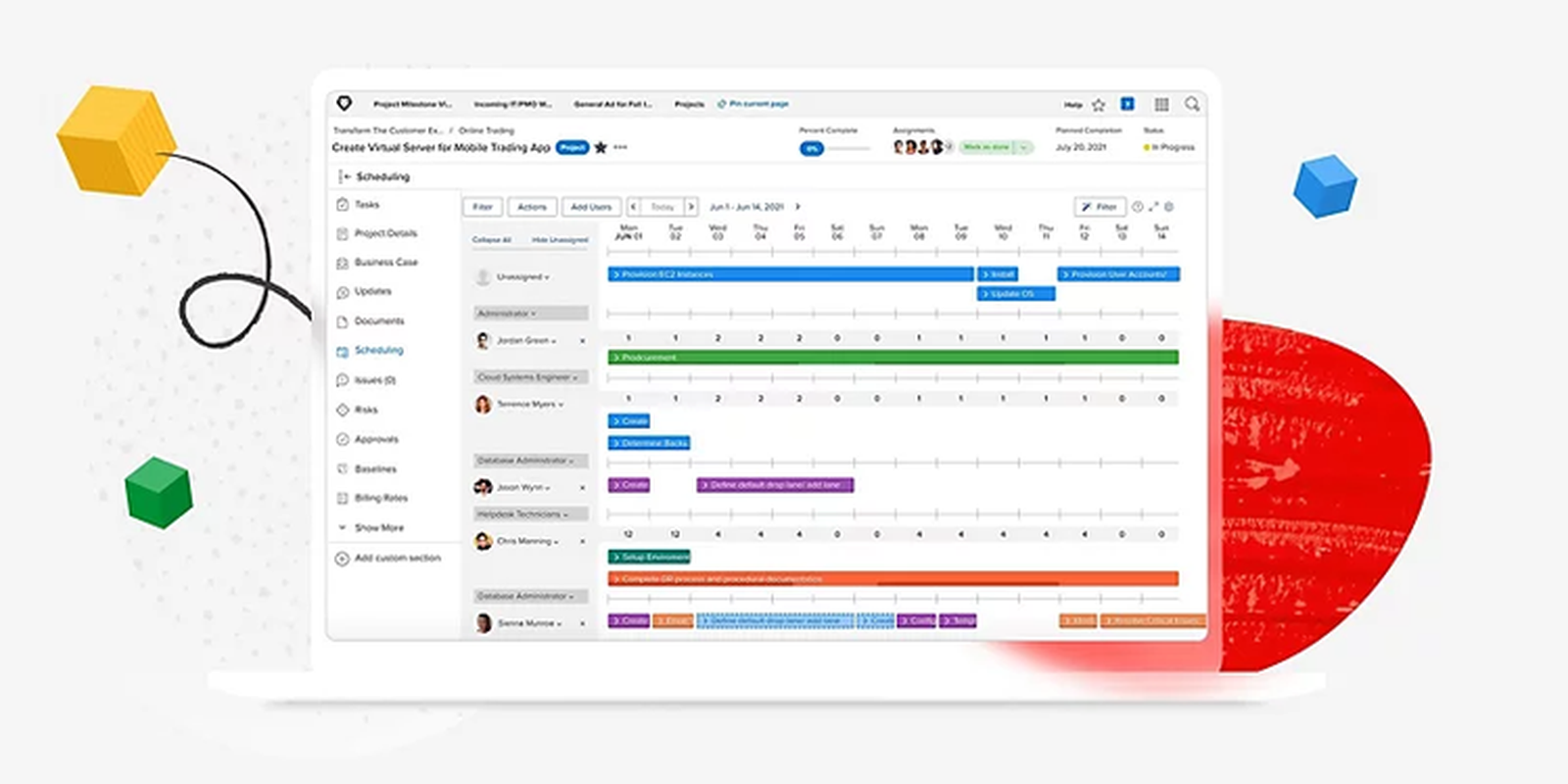
Productive.io focuses heavily on the agency model, where "time is money." Its standout feature is the Profitability Heatmap, which allows managers to see exactly which clients and roles are generating the most margin. By tracking role-level costs—the actual cost of an employee's time versus their billable rate—Productive provides a granular view of financial health that few competitors match. As noted in Productive's guide to budget management, the ability to forecast future revenue based on scheduled bookings is a significant advancement over traditional tracking.
Teamwork.com is a top choice for teams that need to share financial progress with external clients. It integrates time tracking directly into billable milestones, making it easy to generate transparent reports. For teams that struggle with "scope creep," Teamwork’s budget alerts provide a necessary safety net, notifying stakeholders when a project reaches 50%, 75%, or 90% of its allocated funds.
Construction budgeting is fundamentally different from software or agency budgeting. It involves physical materials, equipment rentals, and field labor that must be tracked across multiple job sites. Standard project management tools often fail to capture these nuances.
Procore is a dominant force in the construction sector because it bridges the gap between the field and the office. Its financial tools are designed to handle "Change Orders"—the frequent adjustments to project scope that can derail a construction budget. When a change is approved in the field, Procore automatically updates the master budget, ensuring that the project's financial status is always current. According to Procore's documentation, this synchronization is vital for maintaining labor production data and preventing costly disputes.
Field operations also require tracking costs that office-based teams ignore. This includes fuel expenses, equipment depreciation, and site-specific permits. Tools like Procore allow for the categorization of these expenses, ensuring that the "true cost" of a project is captured. This level of detail is essential for accurate bidding on future contracts.
Not every team needs a $50-per-user enterprise platform. For freelancers and small startups, a "Best-of-Breed" stack can be more effective and affordable. This involves connecting specialized tools that do one thing exceptionally well.
This approach helps fight "App Fatigue" by keeping the user interface simple. However, the downside is the lack of native accounting integration. You will still need to manually sync this data with your invoicing software unless you use a connector like Zapier.
Jira is the most popular tool for software development, but its native budgeting capabilities are a point of contention. Many users on platforms like Reddit have noted that Jira "out of the box" lacks robust financial tracking. It is primarily a task and issue tracker, not an accounting tool.
However, for teams already deep in the Atlassian ecosystem, Jira can become a powerful financial tool through the use of plugins. Add-ons like Tempo Cost Tracker or Financial Manager for Jira allow teams to assign costs to Jira issues and track spending against epics or versions. This is a significant step forward for software teams that want to see the financial impact of their development cycles without switching to a different platform.
By 2026, AI has moved beyond simple automation and into the realm of predictive analytics. Modern project management budget tracking tools now use machine learning to identify patterns that human managers might miss.
Implementing new budgeting software is not a silver bullet. Even the most advanced tool will fail if the underlying processes are flawed. One common pitfall is "Over-Engineering"—trying to track every single cent to a degree that slows down the team's actual work. The goal should be to find the balance between financial accuracy and operational efficiency.
Another challenge is "Data Migration Friction." Moving years of historical data from Excel into a new system is often more difficult than expected. It is usually better to start fresh with new projects in the new tool while keeping historical data in an archive. Finally, be wary of AI-scheduling tools during "rush periods." As some users have noted, automated systems can struggle to handle manual overrides during high-stress deadlines, leading to data discrepancies.
While "best" is subjective, ClickUp offers a highly functional free tier that includes basic custom fields for budget tracking. Alternatively, the combination of Trello and Toggl's free versions provides a robust starting point for freelancers. However, free tools often lack the automated reporting and accounting integrations found in paid versions.
Most modern tools like Teamwork and Scoro allow you to set threshold-based notifications. You can configure the system to send an email or Slack alert to the project manager when the spend reaches 50%, 75%, or 90% of the total budget. This ensures that financial issues are addressed before they become critical.
Yes, you can, and many small businesses do. However, as projects grow in complexity, Excel becomes a liability due to the risk of manual errors and the lack of real-time data syncing. Once you reach the "Complexity Wall"—usually around 3-5 active projects with multiple team members—transitioning to dedicated software is highly recommended.
The project budget is the total amount of money allocated for the project's completion. The project cost refers to the actual expenditures incurred during the project's execution. Effective budget tracking tools focus on the "Variance"—the difference between the budgeted amount and the actual cost.
Yes, top-tier tools like Scoro, Productive, and Procore offer deep integrations with accounting software. This eliminates "double entry," ensuring that when an invoice is generated in the project management tool, it is automatically reflected in the company's general ledger.
Choosing the right tool is about matching the software's capabilities to your team's specific "Complexity Wall." Here are the key takeaways to guide your decision:
Start by signing up for a 14-day free trial of a tool like Scoro or Productive to see how automated tracking changes your project margins.
