How Airtable Works as an AI App Platform for Modern Teams
As of 2026, Airtable has evolved from a spreadsheet-database hybrid into a comprehensive AI-native app platform. It allows teams to build custom relational databases, automate complex workflows using parallel AI agents (Hyperagent), and scale to hundreds of millions of records via its new HyperDB infrastructure—all without requiring traditional coding skills.
For years, teams relied on a fragmented ecosystem of spreadsheets, project management tools, and disconnected communication channels to manage their operations. When Airtable first entered the market, it bridged the gap between the approachability of a spreadsheet and the structural integrity of a relational database. However, the demands of enterprise data management have shifted dramatically.
Today, Airtable is widely regarded as an AI-native application platform. Following significant infrastructure updates—including the introduction of natural language app building (Omni) and massive scalability upgrades (HyperDB)—the platform now serves as the operational backbone for over 500,000 organizations. This article explores how modern teams utilize Airtable to move beyond static data tracking and into agentic, automated workflows.
What Makes Airtable Different From a Standard Spreadsheet?
At first glance, an Airtable Base looks remarkably similar to Microsoft Excel or Google Sheets. You see rows, columns, and cells containing data. However, this visual similarity masks a fundamentally different underlying architecture. Spreadsheets are flat; they store data exactly where you type it. Airtable is relational; it connects distinct datasets to create a single source of truth.
In a standard spreadsheet, if you want to connect a list of clients to a list of projects, you typically rely on fragile VLOOKUP or XLOOKUP formulas. If a client's name changes, or if a row is accidentally deleted, the entire sheet can break. In Airtable, you use Linked Records. A client exists as a single entity in a "Clients" table, and multiple projects in a "Projects" table can link back to that one entity. Update the client's address once, and it updates across every connected project instantly.
The Five Core Building Blocks
To understand how Airtable functions, you must understand its structural hierarchy. According to Zapier's foundational guide, the platform relies on five primary components:
- Bases: Short for "database," this is the overarching container for your project. A Base holds all the information needed for a specific workflow, such as a CRM, a content calendar, or an inventory tracker.
- Tables: Within a Base, Tables separate different types of items. A CRM Base might have one Table for "Companies," one for "Contacts," and one for "Interactions."
- Fields: These are the columns within a Table. Unlike spreadsheets where any cell can hold any data, Airtable Fields are strictly typed. You can choose from over 20 field types, including attachments, checkboxes, barcodes, single-select dropdowns, and AI-generated text.
- Records: These are the individual rows within a Table. Each Record represents a single item, such as a specific person, task, or product.
- Views: This is where Airtable separates itself from traditional databases. Views allow you to visualize the same underlying data in multiple ways without altering it.
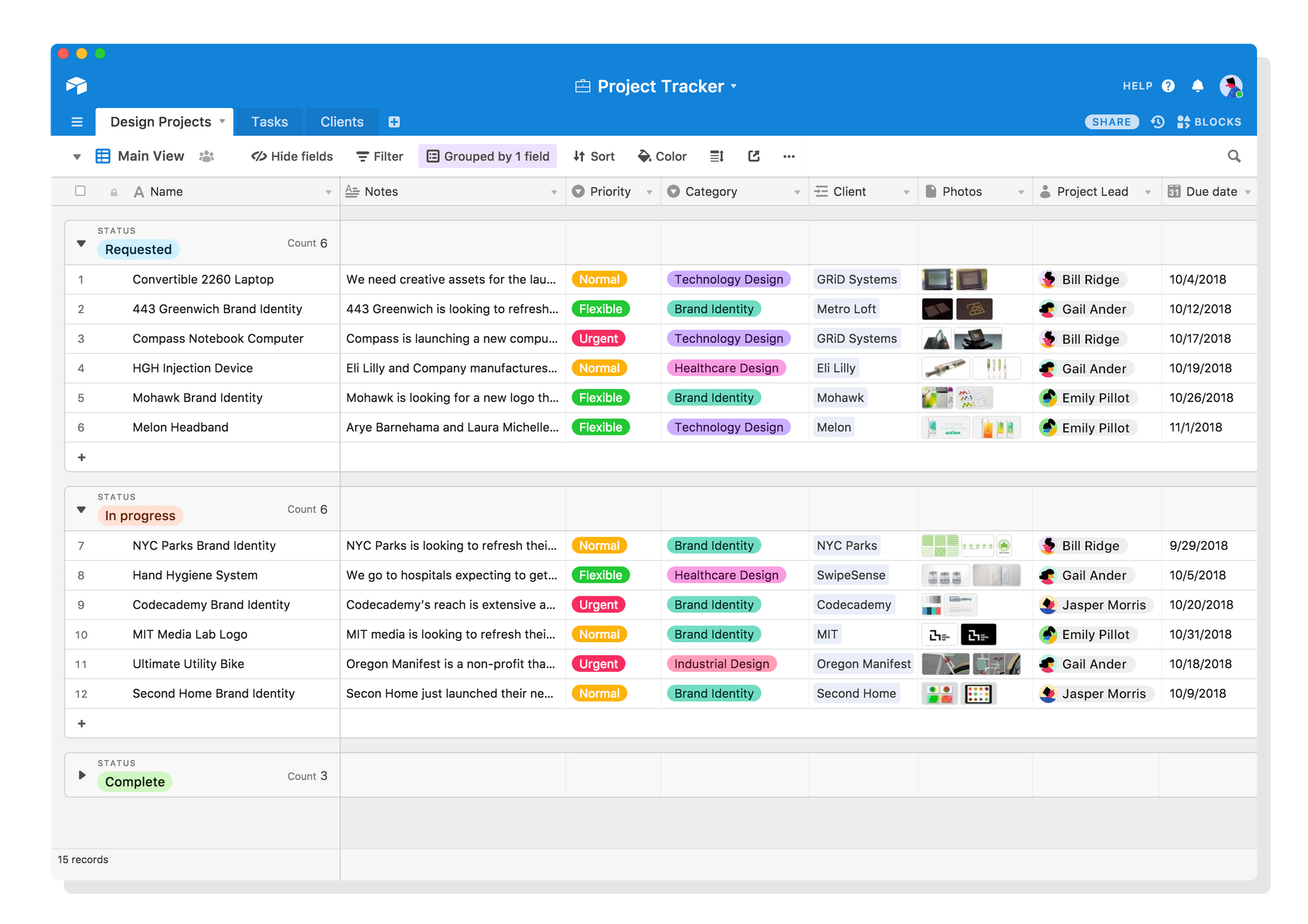
Image source: IFTTT
Visualizing Data Beyond the Grid
While the Grid view is excellent for data entry, it is rarely the most efficient way to manage a workflow. Airtable allows users to instantly toggle between different visualizations based on the same dataset. A project manager might use a Gantt View to map out task dependencies and timelines, while the execution team uses a Kanban View to drag and drop those same tasks through stages like "To Do," "In Progress," and "Done." Because the data is relational, moving a card in the Kanban view instantly updates the dates in the Gantt view.
| Feature | Standard Spreadsheet (Excel/Sheets) | Airtable |
|---|---|---|
| Data Structure | Flat, cell-based | Relational, record-based |
| Field Types | Loose (text, numbers, basic dates) | Strict (attachments, linked records, AI prompts) |
| Visualizations | Grid, Charts, Pivot Tables | Grid, Kanban, Gantt, Calendar, Gallery, Timeline |
| Primary Use Case | Financial modeling, numerical analysis | Process management, custom app building, CRMs |
How the New AI-Native Platform Automates Your Entire Workflow
The most significant shift in Airtable's history occurred during its transition to an AI-native platform. While previous iterations allowed users to integrate third-party AI tools via API, the current ecosystem embeds artificial intelligence directly into the infrastructure.
Omni: The Natural Language App Builder
Building a relational database from scratch requires a solid understanding of data architecture. To lower this barrier to entry, Airtable introduced Omni. Omni is an AI-driven interface that allows users to generate complete, functional applications using natural language prompts.
Instead of manually creating tables and linking fields, a user can open the Omni sidebar and type: "Build me a CRM for a boutique real estate firm that tracks properties, prospective buyers, and showing schedules." Within seconds, Omni generates the necessary tables, establishes the relational links between buyers and properties, populates sample data, and creates a user-friendly interface for the sales team.
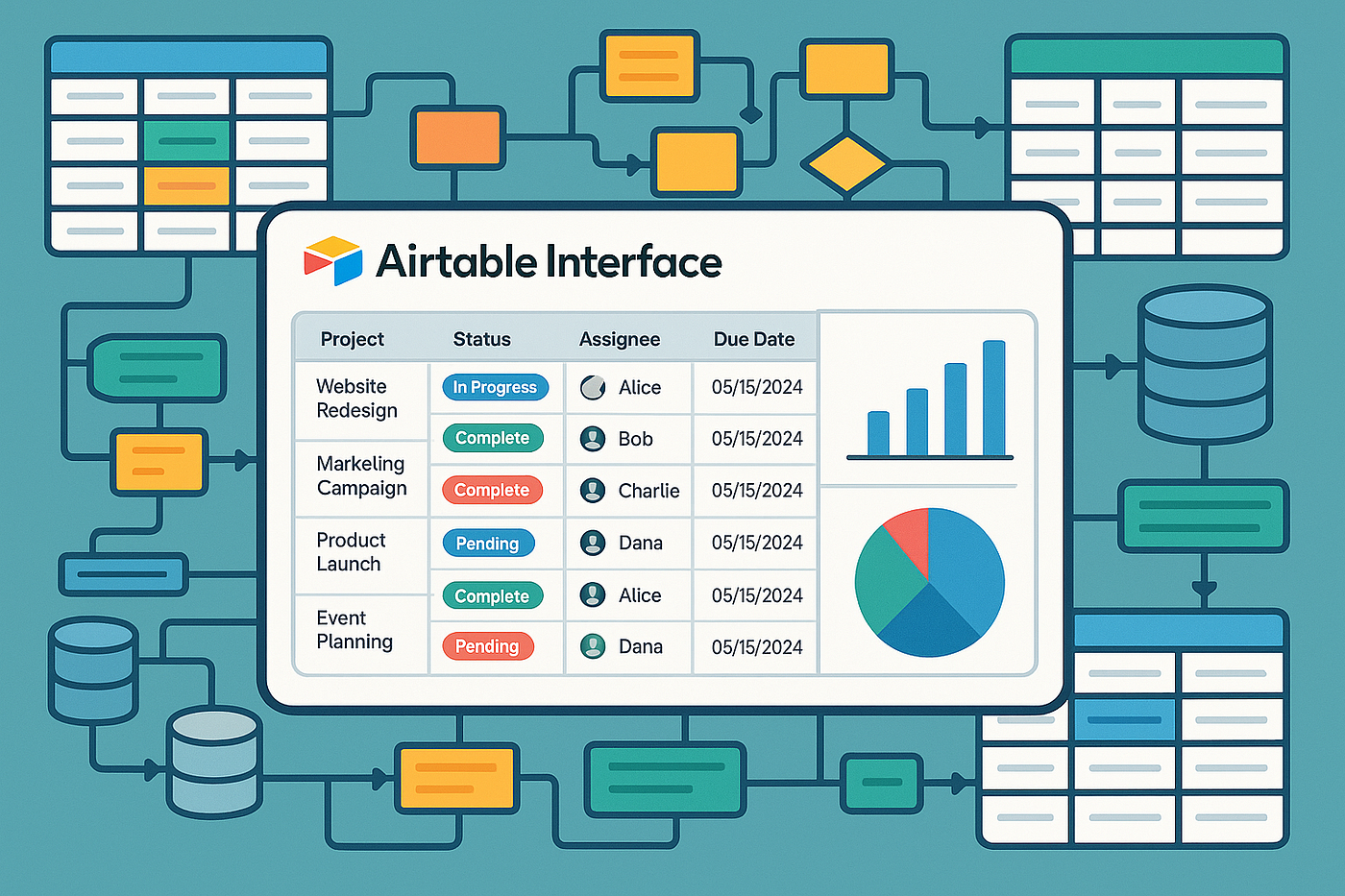
Image source: Greg @ Business Automated - Medium
Hyperagent and Agentic Workflows
Following the acquisition of DeepSky technology, Airtable launched Hyperagent (formerly known in beta as Superagent). This feature represents a major step forward from simple generative text fields. Hyperagent coordinates parallel AI agents to perform complex research and analysis directly within your Base.
For example, if a marketing team has a table of 500 competitor URLs, they can configure a Hyperagent workflow to visit each URL, extract the company's core value proposition, identify their pricing model, and summarize their recent blog topics. The agents work in parallel, populating the Airtable records with structured data in minutes—a task that would take a human researcher weeks to complete. This shifts Airtable from a passive repository of static data into an active participant in business operations.
Should You Use Standard Bases or HyperDB for Your Data?
As organizations scale their use of Airtable, they inevitably encounter what the community refers to as the "Scale Wall." Historically, Airtable bases were limited by browser memory and websocket connection constraints, typically capping out at 100,000 to 125,000 records per base on Enterprise plans. For small to medium businesses, this is ample space. For enterprise data lakes, it was a hard ceiling.
Understanding HyperDB
To address this, Airtable introduced HyperDB, a fundamentally redesigned backend infrastructure. HyperDB detaches the user interface from the underlying data storage limitations, allowing a single base to support hundreds of millions of records while maintaining snappy load times and real-time collaboration.
Ideal for project trackers, content calendars, and departmental CRMs. Record limits range from 1,000 (Free) to 125,000 (Business). Performance is highly optimized for real-time, multi-user editing within these constraints.
Designed for massive datasets, such as global inventory logs, enterprise-wide telemetry data, or historical transaction archives. Supports hundreds of millions of records with advanced querying capabilities.
Choosing between the two depends entirely on your data volume. A marketing agency managing 50 active clients will never need HyperDB. However, a logistics company tracking every individual package scan across North America will find HyperDB to be an essential upgrade.
How to Fix Automation Lag and Performance Issues at Scale
Even with robust infrastructure, poorly optimized bases can suffer from performance degradation. A common issue reported by power users in large standard bases (approaching the 100k record mark) is "automation lag." This occurs when a user triggers an automation, but the system returns a "Pending" status, sometimes delaying execution by several minutes.
This lag is rarely a platform outage; it is usually the result of a congested automation queue caused by inefficient base design. When thousands of records are updated simultaneously, and each update triggers a complex chain of formulas and scripts, the system throttles execution to maintain stability.
The Performance Optimization Checklist
To keep your Airtable bases running smoothly, implement these optimization strategies:
- Formula Pruning: Complex, nested
IFstatements and multi-layerRollupfields calculate in real-time. If you have 80,000 records recalculating every time a single linked record changes, performance will suffer. Replace non-essential real-time formulas with scheduled automation scripts that update static text fields once a day. - Strategic Archiving: Keep active bases lean. Create a separate "Archive Base" and use an automation to move completed projects or closed tickets out of your primary workspace.
- Batch Processing: Instead of triggering an automation "When a record is updated" (which might fire 50 times if a user is actively typing), use "When a record matches conditions" and include a specific checkbox field like "Ready for Processing" to trigger the run only once.
If you have heavy, data-intensive automations (like syncing thousands of records from an external API or running complex Hyperagent research tasks), schedule them to run outside of peak business hours. Setting these scripts to execute at 2:00 AM local time ensures your team experiences zero automation lag during their 9-to-5 workday.
Advanced Workflows Using the Airtable CLI and Claude Code
For developers and technical operators, Airtable's capabilities extend far beyond the visual interface. The introduction of the Airtable Command Line Interface (CLI) and support for the Model Context Protocol (MCP) has opened new avenues for programmatic base management.
Connecting LLMs via MCP
The Model Context Protocol allows developers to securely connect external Large Language Models (LLMs), such as Anthropic's Claude, directly to their Airtable environment. Instead of manually exporting CSVs to feed into an AI, developers can use tools like Claude Code to interact with the base programmatically.
A highly effective use case for this is automated "Base Pruning." Over time, CRMs and task trackers accumulate "dead data"—tasks that were abandoned, duplicate client entries, or projects with missing critical information. Using the CLI, a developer can instruct an AI agent to audit the base.
# Example conceptual CLI command for connecting an AI agent
airtable-cli mcp connect --base "appXyZ123" --agent "claude-3-opus"

# Prompting the agent via terminal
> "Scan the 'Tasks' table. Identify any records where the status is 'In Progress', the last modified date is older than 90 days, and there are no linked 'Updates'. Tag these records with the 'Dead Task' label."
This level of programmatic control allows operations teams to maintain pristine data hygiene without spending hours manually filtering and sorting through thousands of rows.
Comparing Airtable to Notion and Other No-Code Competitors
The no-code ecosystem is crowded, and teams frequently debate whether to adopt Airtable, Notion, or Monday.com. While there is feature overlap, each tool is built on a fundamentally different philosophy.
Airtable vs. Notion: Notion is a document-first platform. It excels at unstructured data—wikis, meeting notes, and long-form documentation. While Notion has database capabilities, they are secondary to the document interface. Airtable is data-first. It is designed for structured, relational data. If your primary goal is writing a company handbook, choose Notion. If your primary goal is building a custom inventory management app, Airtable is a top-tier option.
Airtable vs. Monday.com: Monday.com is a project-first platform. It provides excellent out-of-the-box templates for task management, resource allocation, and timeline tracking. It is highly prescriptive, meaning it guides you into a specific way of working. Airtable is a blank canvas. It requires more initial setup to build a project management system, but it offers significantly more flexibility to mold the software around your exact, unique business processes.
- You need complex relational data linking.
- You want to build custom internal apps and interfaces.
- You plan to leverage heavy AI automation and agentic workflows.
- You primarily need a text-heavy wiki (Notion).
- You want a ready-to-use project tracker with zero setup (Monday).
- You only need to do basic financial math (Excel).
Is the Airtable Enterprise Tier Worth the Investment?
Airtable's pricing model is tiered to accommodate everyone from solo freelancers to Fortune 500 companies. While the Free and Team plans offer a great entry point, growing organizations often face the decision of whether to upgrade to the Business or Enterprise tiers.
The free version of Airtable is an excellent sandbox, but it contains "hidden" limitations that quickly become apparent in a production environment. The most restrictive of these are the 1,000 records-per-base limit and the strict cap on monthly automation runs. Once a team integrates Airtable into their daily operations, they will burn through these limits in a matter of days.
The Enterprise tier, while requiring a custom contract, provides substantial value for large organizations. Beyond the obvious increases in record limits (including access to HyperDB) and unlimited automation runs, the true value lies in security and governance. For a company valued at over $11 billion, data security is paramount. The Enterprise tier provides Single Sign-On (SSO), advanced workspace administration, detailed audit logs, and enterprise-grade API limits. For organizations managing sensitive customer data or proprietary operational workflows, these governance features make the Enterprise tier a highly recommended investment.
Frequently Asked Questions
- Is Airtable better than Excel for data management?
- It depends on the type of data. For relational data, project management, and collaborative workflows, Airtable offers strong advantages due to its linked records and varied views. However, for pure financial modeling, complex mathematical analysis, and massive pivot tables, Excel remains the industry standard.
- How do I use Airtable's new AI features?
- You can access AI features in several ways. For base creation, use the Omni sidebar to generate tables via natural language. Within a table, you can add an "AI Field" to generate text, summarize linked records, or categorize data based on prompts. For advanced research, Enterprise users can configure Hyperagent workflows.
- What are the limitations of the Airtable free version?
- As of 2026, the primary limitations of the Free plan include a maximum of 1,000 records per base, a cap of 100 automation runs per month, limited access to advanced extensions, and restricted revision history (typically limited to 2 weeks).
- Can Airtable be used as a CRM?
- Yes, building a Customer Relationship Management (CRM) system is one of the most popular use cases for Airtable. Its relational database structure allows you to easily link a single "Company" record to multiple "Contacts," "Deals," and "Interactions," providing a comprehensive view of your sales pipeline.
- What is the difference between a Base and a Workspace?
- A Workspace is a folder that houses multiple Bases, usually organized by department or team (e.g., a "Marketing" workspace). A Base is the actual database file containing the specific tables, records, and interfaces for a single project or workflow (e.g., a "Content Calendar" base).
- How do I create a personal access token in Airtable?
- To create a personal access token (which replaced legacy API keys), navigate to the Developer Hub from your account menu. Click "Create Token," assign it a name, select the specific scopes (permissions) it requires, and choose which bases or workspaces the token is allowed to access.
Final Thoughts
Airtable has successfully navigated the transition from a visually appealing spreadsheet alternative to a robust, enterprise-grade application platform. By integrating AI directly into its core architecture, it allows teams to build highly customized, automated systems that adapt to their specific operational needs.
- Start with relational architecture: Always use Linked Records instead of duplicating text across multiple tables to maintain a single source of truth.
- Leverage Omni for prototyping: Use natural language prompts to rapidly generate base structures and interfaces before manually tweaking the fields.
- Monitor your automation queues: Prevent the "Scale Wall" by batching updates and scheduling heavy API scripts outside of peak business hours.
- Audit user permissions: As your base grows, regularly review workspace access and utilize Interface-only permissions to protect underlying data.
- Evaluate your scale needs: Transition to HyperDB only when your data volume genuinely requires handling millions of records.